 Easy Twin
New in Easy Twin 2.0 · K–8 · iPhone and iPad
Homework your kid actually asks for
Snap tonight's worksheet. Easy Twin turns it into a quest that practices the exact same skills with new numbers, names and wording, played with your kid's own plush Stuffy pet. Or print it with an answer key.
- 3 free scans
- No ads or tracking
- Ready in about 5 seconds
What is Easy Twin?
Easy Twin is an iPhone and iPad homework app that scans a child's school worksheet and turns it into a "twin": new questions that practice the same skills with new numbers, names, and wording. Kids play it as a quest with their own plush Stuffy pet, or parents print it with an answer key.
- What it is
- An iPhone and iPad app that turns a photo of a homework worksheet into new practice on the same skills, played as a quest with a Stuffy pet or printed.
- Who it's for
- Kids in kindergarten through 8th grade, and the parents, homeschoolers and tutors who help them.
- Subjects
- Math, reading, grammar, spelling, writing, science and social studies.
- Speed
- About 5 seconds per page.
- Game parts
- Four Stuffies, quests with combos, a Boss question and a treasure chest, Twin Coins, a wardrobe shop with a Friday Drop, streaks, a daily chest and a sticker book.
- Grown-up tools
- Printable twins with answer keys, Review Sheets of missed questions, progress insights, and Kid Mode with a grown-up lock.
- Price
- Free download with 3 free scans. Family Pass $7.99/month or $59.99/year (1-week free trial on yearly). Credit packs from $3.99.
- Privacy
- Worksheet photos aren't stored on Easy Twin's servers. No ads, no data selling, no cross-app tracking.
- Requires
- iOS 26 or later on iPhone or iPad.
- Made by
- Churchory LLC, the company behind Easy Twin.
How does Easy Twin work?
Easy Twin works in four steps: snap the worksheet, let the app write a twin of every question, then your kid plays it as a quest or you print it. The full walkthrough is on how Easy Twin works.
Snap
Photograph tonight's worksheet. Edges snap into place and packets are welcome.
Twin
Easy Twin writes one new question for each original: same skill, new numbers, names and wording.
Quest
Your kid plays it with their Stuffy: combos, a Boss question and a treasure chest of Twin Coins.
Print or review
Print the twin with an answer key, see progress, or print a Review Sheet of just the misses.
Meet the Stuffies
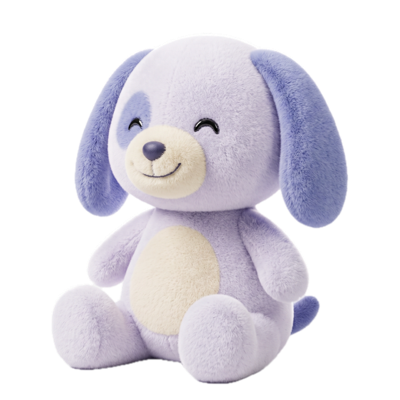
Every kid adopts a plush Stuffy and names it. It cheers right answers, gets sleepy when practice is skipped, and perks right back up after a quest. More about Stuffy study buddies.
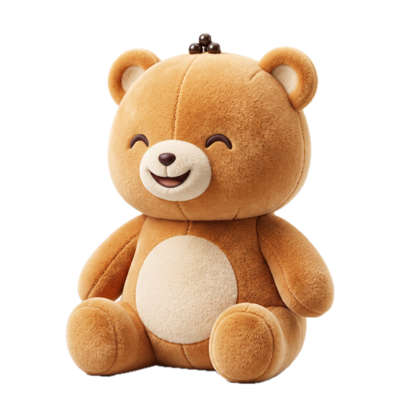
Boba Bear
Cozy, sweet, loves a good snack break.
Astro Pup
Zooms through math like a rocket.
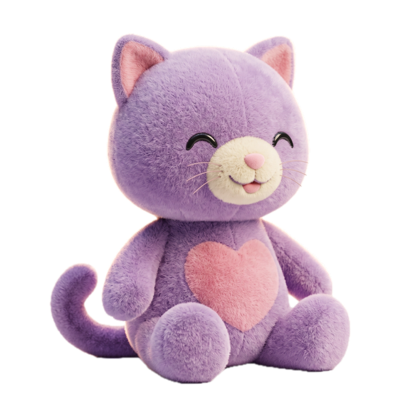
Pixel Cat
Clever, curious, a little bit glitchy.
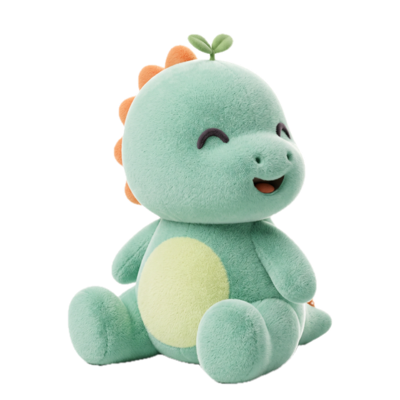
Dino Sprout
Small now. Grows HUGE with practice.
What happens in a homework quest?
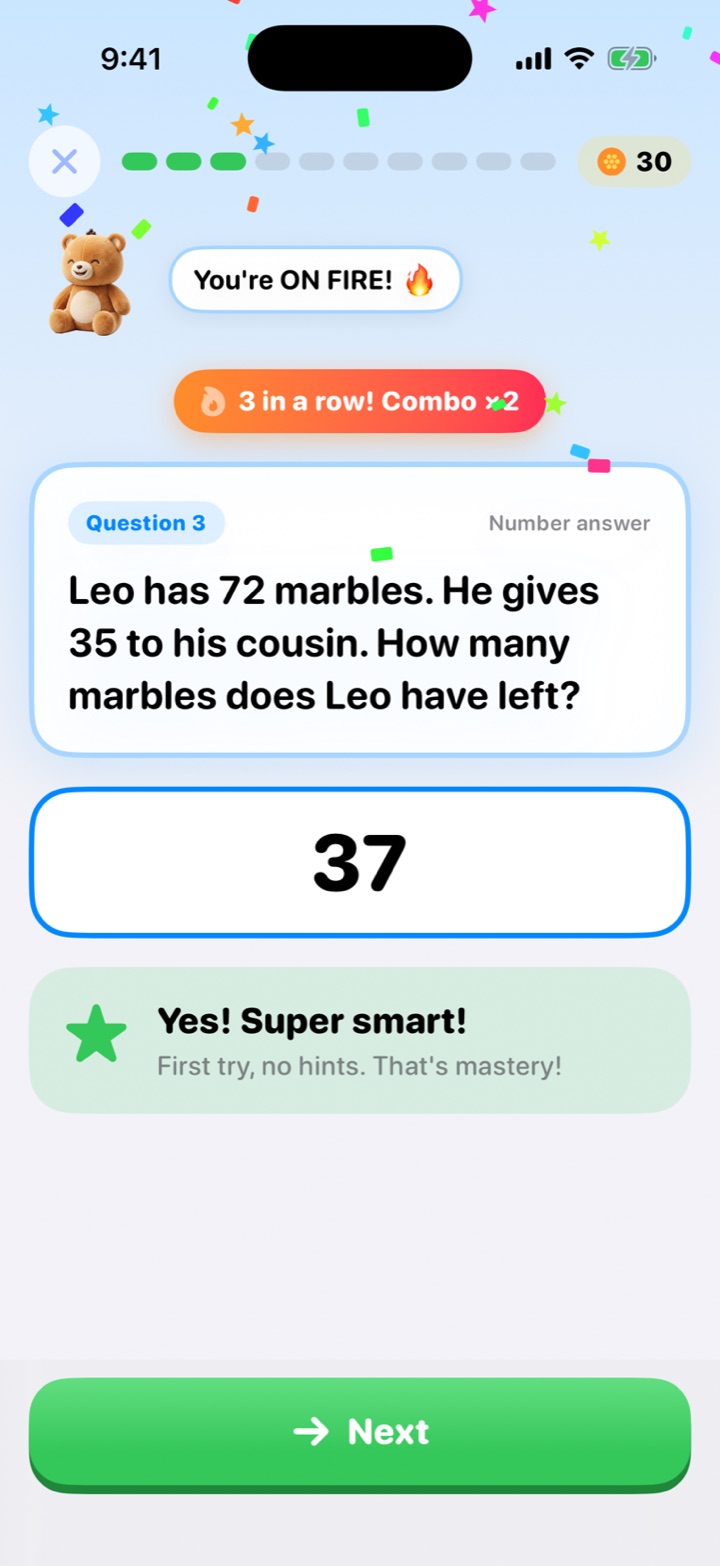
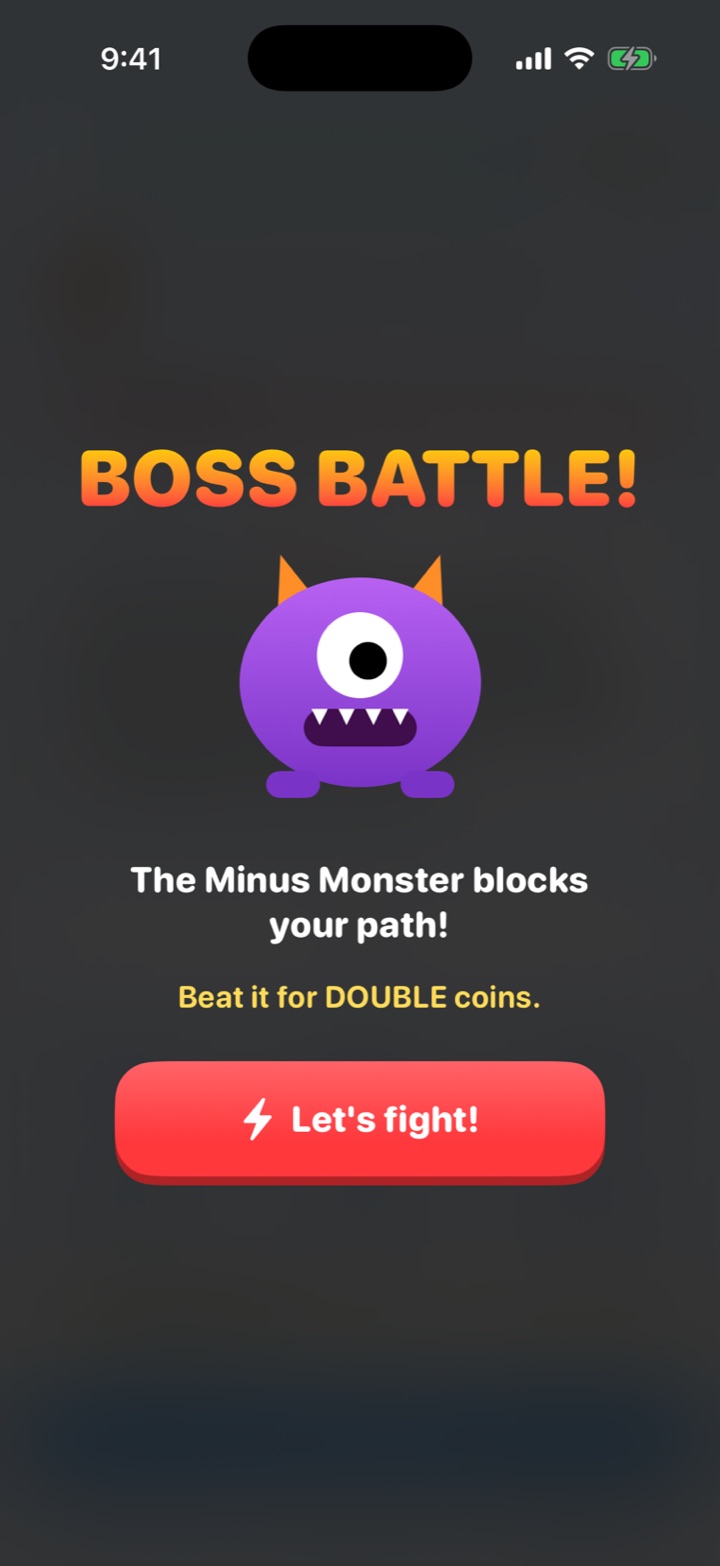
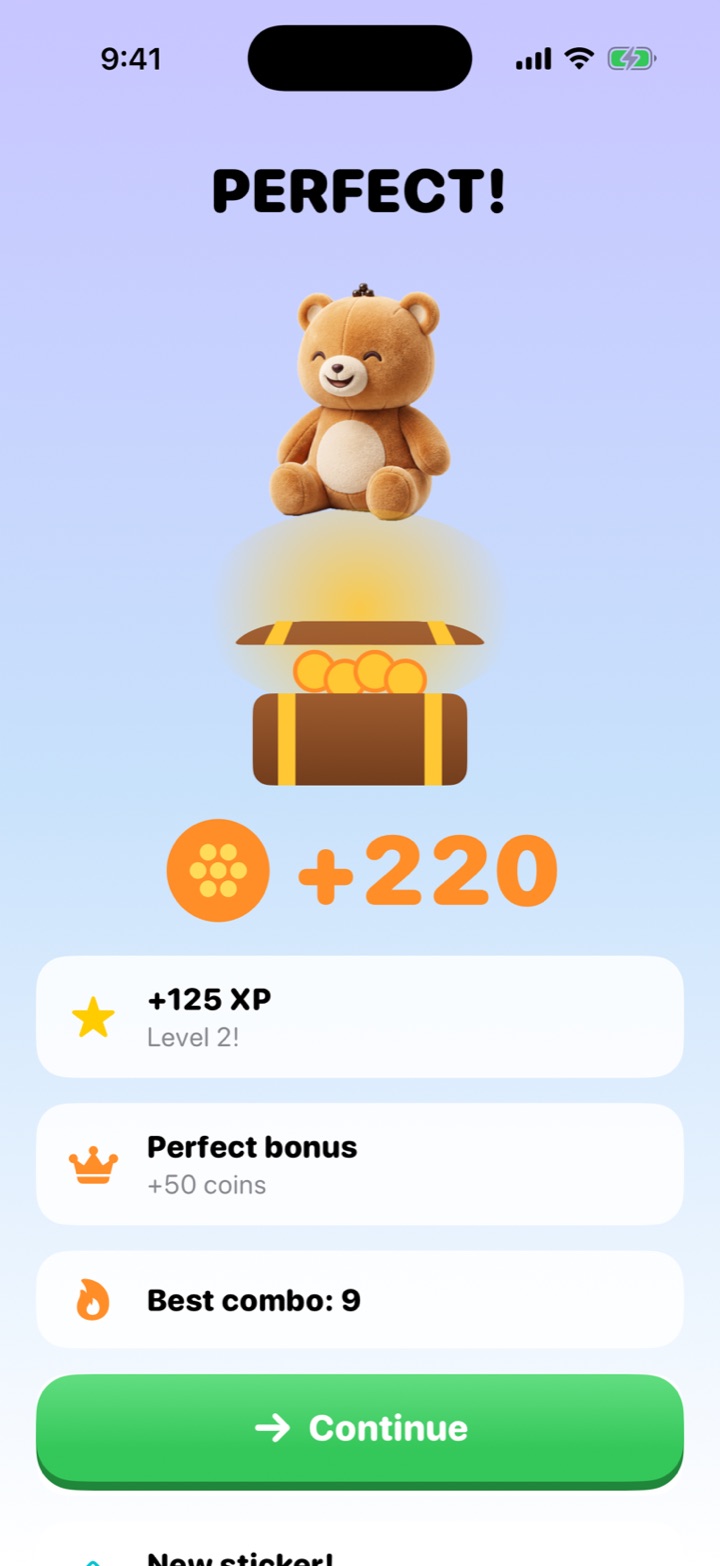
Every scanned worksheet becomes a stop on your kid's quest path. First-try answers build combos, the last question is a Boss worth double coins, and finishing opens a treasure chest. Hints, three tries and worked solutions keep it real practice. How homework quests work.
What can kids do with Twin Coins?
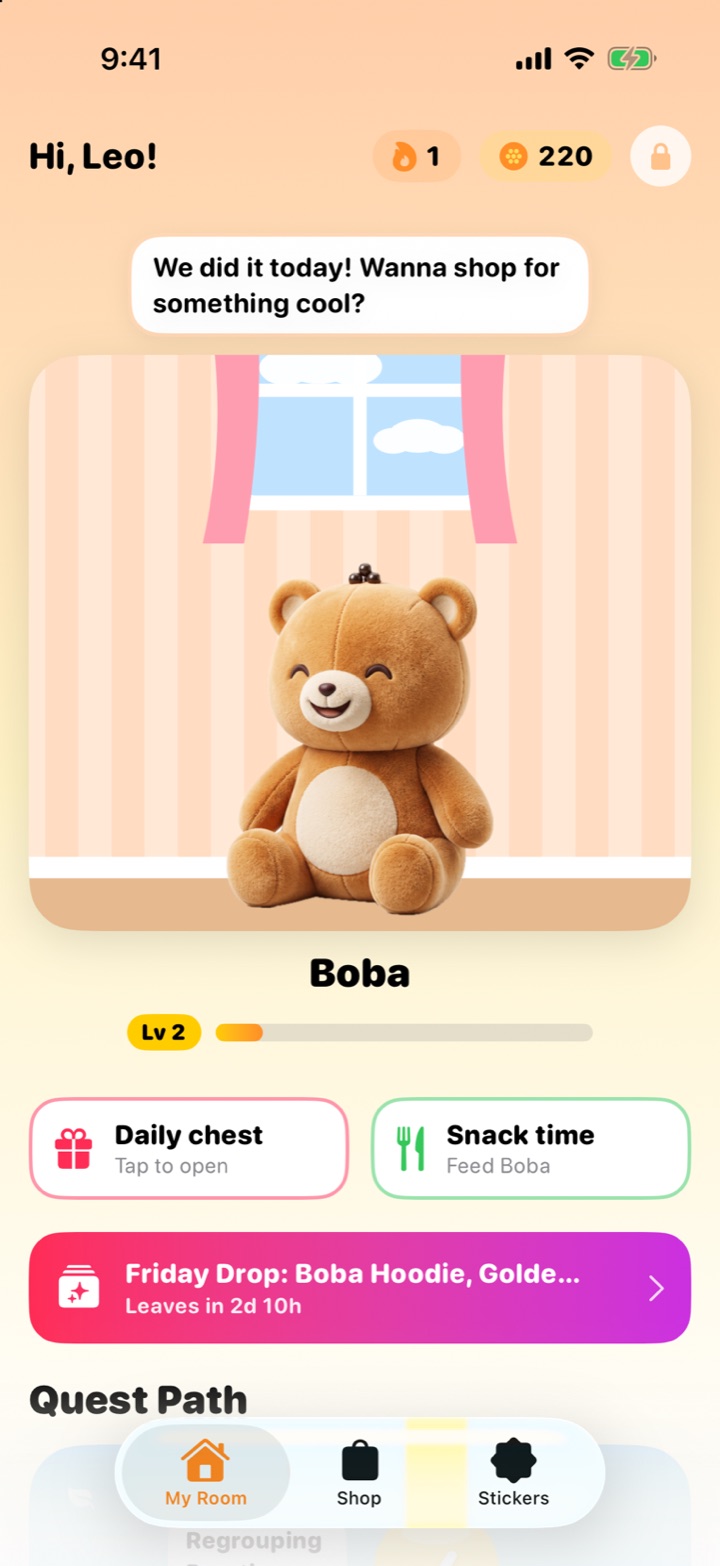
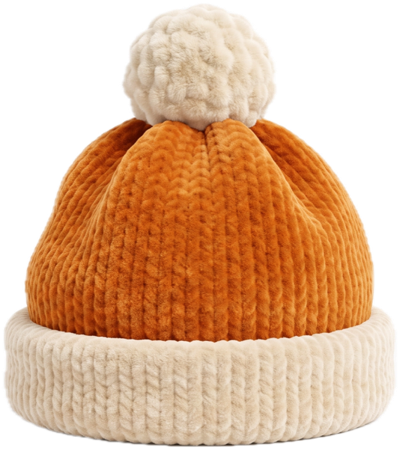
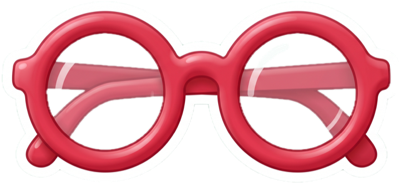
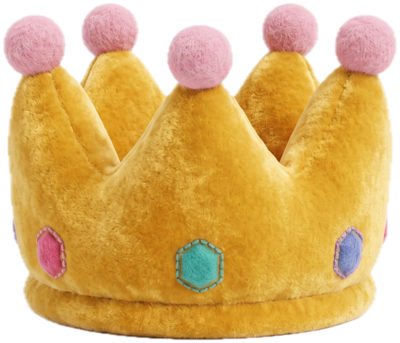
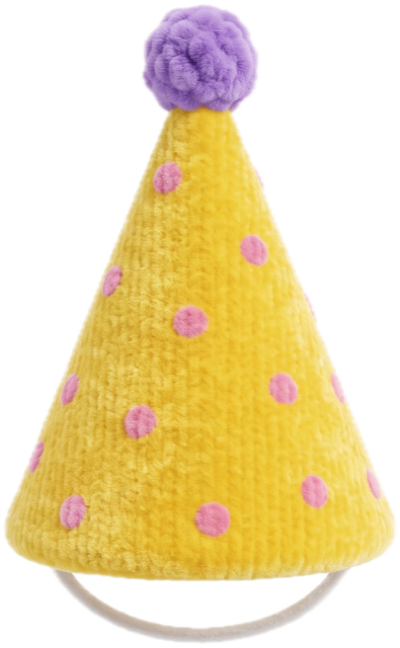
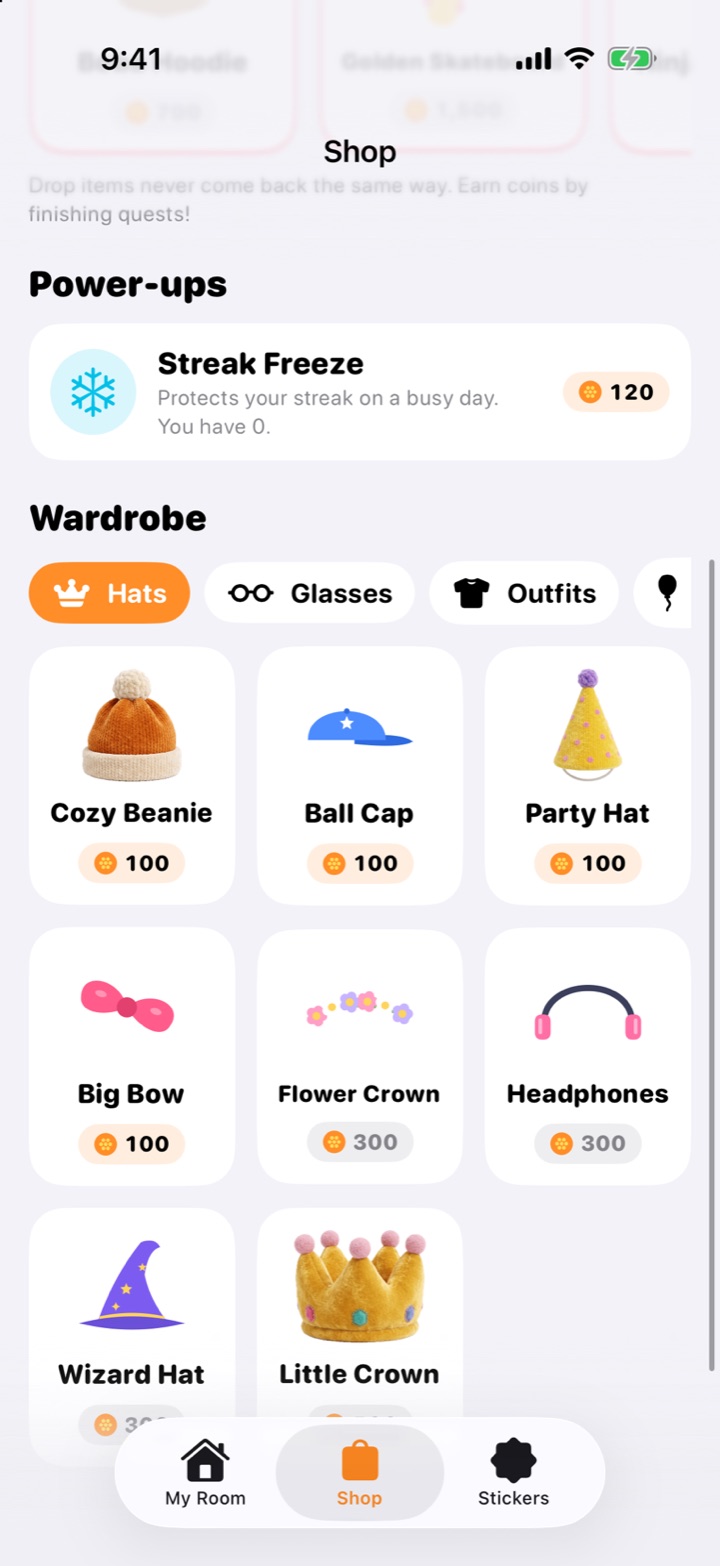
Kids spend Twin Coins in the shop on hats, glasses, capes, props and room decor for their Stuffy. A Friday Drop of new items lands every week and leaves when its timer runs out. Coins are earned only by practicing; they can't be bought. Twin Coins and the wardrobe.

Streaks, a daily chest and a sticker book
A daily streak, a chest to open each day, bigger chests at 3, 7, 14 and 30 days, and a sticker book give kids a reason to come back tomorrow. Streaks, chests and stickers.
What does a twin worksheet look like?
A twin sits question-for-question beside the original: the same skill in the same order, with new numbers and names, so practice builds understanding instead of memory of last night's answers. Read more about how the twin worksheet generator works.
Addition and subtraction review
- 47 + 38 = ____2-digit addition with regrouping
- Maya has 64 stickers. She gives 27 to her brother. How many does she have left?2-digit subtraction word problem
- Which number is the sum of 125 and 236?3-digit addition
- Round 468 to the nearest ten.Rounding to the nearest ten
- Fill in the blank: 10 more than 350 is ____.Mental math: adding ten
- Explain how you know 89 + 11 equals 100.Explaining addition strategies
Regrouping Practice
- 56 + 29 = ____2-digit addition with regrouping
- Leo has 72 marbles. He gives 35 to his cousin. How many marbles does Leo have left?2-digit subtraction word problem
- Which number is the sum of 143 and 258?3-digit addition
- Round 734 to the nearest ten.Rounding to the nearest ten
- 10 more than 580 is ____.Mental math: adding ten
- Explain how you know 76 + 24 equals 100.Explaining addition strategies
From the Easy Twin demo worksheet shown in the App Store screenshots (Math, Grade 3). Each twin question practices the same skill as the original beside it, with new numbers and names.
What do grown-ups get?
Grown-ups get the practice the teacher actually assigned, without the nagging, plus the tools to see how it went.
Printable twins
Print the twin as a clean US Letter worksheet with an optional answer key.
Review Sheets
The Review Sheet prints just the questions your kid struggled with.
Progress you can see
Insights show first-try accuracy, minutes practiced, streaks and tricky skills.
Kid Mode
Kid Mode keeps scanning, buying and settings behind a grown-up lock.
Help when you're rusty
Every question has two hints and step-by-step solutions, so you don't have to remember long division.
Ready in about 5 seconds a page
No typing or templates: the app works out the subject, grade and skill from the page.
Which subjects and grades does Easy Twin cover?
Easy Twin covers kindergarten through 8th grade in math, reading, grammar, spelling, writing, science, and social studies. It works out the subject and grade from the page itself.
Math
Easy Twin turns your child's math worksheet into a new "twin" worksheet that practices the same skills with new numbers, names, and wording.
Reading Comprehension
Easy Twin scans a reading comprehension worksheet and writes one new question for every printed question on it, practicing the same skill with new names, words, and wording.
Grammar
Easy Twin turns your child's grammar worksheet into a twin worksheet: the same skills, such as verb tense or subject–verb agreement, practiced with brand-new sentences.
Spelling and Vocabulary
Easy Twin turns printed spelling and vocabulary worksheets into twin worksheets that practice the same spelling pattern or word skill with new words and sentences.
Writing
Easy Twin turns writing worksheets into twin worksheets with new prompts and sentence-level questions that practice the same skill.
Science
Easy Twin turns a science worksheet into a twin worksheet that practices the same vocabulary, concepts, and data skills with new examples.
Social Studies
Easy Twin turns a social studies worksheet into a twin worksheet that practices the same skills, such as map directions, civics vocabulary, or reading a timeline, with new places, names, and dates.
Every subject by grade
| Subject | K | 1 | 2 | 3 | 4 | 5 | 6 | 7 | 8 |
|---|---|---|---|---|---|---|---|---|---|
| Math | Yes | Yes | Yes | Yes | Yes | Yes | Yes | Yes | Yes |
| Addition and subtraction | Yes | Yes | Yes | Yes | Yes | ||||
| Multiplication | Yes | Yes | Yes | Yes | |||||
| Division | Yes | Yes | Yes | Yes | |||||
| Fractions | Yes | Yes | Yes | Yes | |||||
| Decimals | Yes | Yes | Yes | Yes | |||||
| Word problems | Yes | Yes | Yes | Yes | Yes | Yes | |||
| Telling time | Yes | Yes | Yes | ||||||
| Graphs and data | Yes | Yes | Yes | Yes | Yes | Yes | |||
| Reading Comprehension | Yes | Yes | Yes | Yes | Yes | Yes | Yes | Yes | |
| Grammar | Yes | Yes | Yes | Yes | Yes | Yes | Yes | Yes | |
| Spelling and Vocabulary | Yes | Yes | Yes | Yes | Yes | Yes | |||
| Writing | Yes | Yes | Yes | Yes | Yes | Yes | Yes | Yes | |
| Science | Yes | Yes | Yes | Yes | Yes | Yes | Yes | Yes | Yes |
| Social Studies | Yes | Yes | Yes | Yes | Yes | Yes | Yes | Yes | Yes |
Explore all subjects, math topics from addition to decimals, or grade-by-grade guides.
Who is Easy Twin for?
Easy Twin is for kids from kindergarten through 8th grade and the grown-ups who help with homework: parents, homeschool families, and tutors.
Is Easy Twin safe for my child?
Yes. Easy Twin is designed so a child's schoolwork stays private: photos are used only to read the page and write the twin, stay on your phone, and are never stored on Easy Twin's servers.
- No ads, no data selling, and no tracking across other apps or websites.
- Each kid profile is just a first name and grade, set up by a grown-up.
- Kid Mode keeps scanning, purchases and settings behind a grown-up lock, and Twin Coins can't be bought.
- No email or password needed: the app backs up to an anonymous account. Sign in with Apple is optional.
- Delete any worksheet with a swipe, or your whole account from Settings.
Read the plain-language privacy policy or learn how Easy Twin uses AI.
How much does Easy Twin cost?
Easy Twin is free to download with 3 free scans. After that, Family Pass is $7.99 a month or $59.99 a year (the yearly plan starts with a 1-week free trial) for up to 50 scans a month, unlimited kids and 2× coins, or you can buy credit packs from $3.99. Playing and printing twins is always unlimited.
Free
$0
3 free scans to start
Family Pass
$7.99 / month
or $59.99 / year (save 37%). Up to 50 scans every month, unlimited kids, 2× coins and a members-only outfit monthly.
Credit packs
$3.99
for 10 scans. Credits never expire.
Common questions
What is Easy Twin?
Easy Twin is an iPhone and iPad homework app that scans a child's school worksheet and turns it into a "twin": new questions that practice the same skills with new numbers, names and wording. Kids play the twin as a quest with their own plush Stuffy pet, earning Twin Coins and keeping a streak, or parents print it with an answer key. It's built for kindergarten through 8th grade.
What is a twin worksheet?
A twin worksheet is a new version of your child's worksheet with one new question for every original, practicing the same skill at the same difficulty with different numbers, names, and wording. Question 1 of the twin mirrors question 1 of the original, and so on, in order.
What devices does Easy Twin work on?
Easy Twin works on iPhone and iPad running iOS 26 or later.
What's new in Easy Twin 2.0?
Easy Twin 2.0 turns practice into a game kids ask for: they adopt a Stuffy (Boba Bear, Astro Pup, Pixel Cat or Dino Sprout), every worksheet becomes a quest with combos, a Boss question and a treasure chest, and Twin Coins buy hats, capes and room decor, with a new Friday Drop every week. It also adds streaks with a daily chest, a sticker book, separate profiles for each kid, and Kid Mode with a grown-up lock. Pro is now called Family Pass.
Is there an app that turns worksheets into practice?
Yes. Easy Twin scans a worksheet with your iPhone or iPad camera and writes a new practice version of it in about 5 seconds a page, with one new question for every original that practices the same skill. Your child can play it as a game-like quest or you can print it with an answer key.
How can I make homework practice fun for my kid?
Give it a short, clear finish line and a reason to care. In Easy Twin each worksheet becomes a quest with a Boss question and a treasure chest at the end, a Stuffy pet cheers every right answer, and Twin Coins buy outfits for it. The practice itself is still the skills from your child's real homework. More ideas are in our guide on how to make homework fun.
Can I use Easy Twin for more than one child?
Yes. Add a kid for each child: each gets their own Stuffy, quests, coins, streak and progress. Family Pass includes unlimited kids, and Family Sharing lets another adult in your Apple family use it on their own device.
Which subjects does Easy Twin support?
Easy Twin supports math, grammar, reading, writing, spelling, science, and social studies worksheets. It's strongest on questions with a clear answer, like arithmetic, fractions, word problems, grammar, and vocabulary. See the subjects guide for details.
Which grades does Easy Twin cover?
Easy Twin is built for kindergarten through 8th grade. It works out the approximate grade level of each worksheet on its own, so you never have to pick one. See the grade-by-grade guides.
What is a Stuffy?
A Stuffy is your child's plush study buddy in Easy Twin. Kids choose Boba Bear, Astro Pup, Pixel Cat or Dino Sprout, name it, and dress it up with Twin Coins earned from quests. It cheers right answers, gets sleepy when practice is skipped, and perks up after a quest.
Is Easy Twin free?
Easy Twin is free to download and includes 3 free scans (1 scan = 1 page). After that, choose Family Pass at $7.99 per month or $59.99 per year (the yearly plan starts with a 1-week free trial) for up to 50 scans a month, unlimited kids and 2× coins, or buy credit packs from $3.99 for 10 scans. Prices are in US dollars and vary by region.
What does Family Pass include?
Family Pass includes up to 50 scans every month, unlimited kids, 2× Twin Coins on every quest, and a members-only Stuffy outfit every month. It costs $7.99 a month or $59.99 a year (save 37%), and the yearly plan starts with a 1-week free trial. Playing and printing twins is unlimited on every plan.
What happens to photos of my child's worksheets?
Worksheet photos are used only to read the page and create the twin. They're sent securely to an AI service to be read, stay on your phone, and are never stored on Easy Twin's servers or included in backups, unless you choose to attach them to a problem report after a failed scan (deleted once we've reviewed it). Read the privacy policy for the full details.
What is Kid Mode?
Kid Mode is the kid side of Easy Twin: the Stuffy's room, quests, shop and sticker book. Scanning, purchases and settings stay behind a grown-up lock. Leaving Kid Mode needs your 4-digit PIN, or a grown-up multiplication question if you haven't set one.
See all frequently asked questions
Guides for parents
How to Make Homework Fun (Without Bribes or Battles)
Homework gets more fun when it is short, has a clear finish line, gives your child real choices, and shows progress they can see. A friendly character, a streak and fresh questions help more than big prizes, which can quietly make kids care less about the work itself. This guide gives parents specific ways to do each one tonight.
Kids' Learning Apps With Virtual Pets: What to Look For
A virtual pet can make practice something kids look forward to, as long as the pet serves the learning instead of the other way around. Before you download one, check that the questions match real schoolwork, that rewards are earned rather than bought, and that there are no ads, loot boxes or guilt traps. This guide gives parents a checklist to use on any app.
Printable Math Practice From Your Child's Homework
The most useful printable math practice comes straight from your child's homework, with the same skills and fresh numbers. This guide shows how to make and print a matching worksheet, use a review sheet of missed questions, and keep a simple weekly print routine for kindergarten through 8th grade.
Turn tonight's worksheet into a quest
Download free and get 3 free scans. Scan a page and your kid gets a quest to play with their Stuffy, or print the twin with an answer key.
Download on theApp StoreRequires iOS 26 or later. Works on iPhone and iPad.
- 3 free scans to start
- No ads, no tracking
- Kindergarten to 8th grade