 Easy Twin
A good kids' learning app with a pet uses the pet to make real practice feel friendly, not to keep your child tapping. Before you download one, check five things: the questions match what your child does at school, rewards are earned by practicing and not bought, there are no ads or gambling-style surprises, the pet never guilt-trips your child, and a grown-up controls purchases and settings.
Why do virtual pets motivate kids to practice?
Virtual pets motivate kids because they turn practice into caring for a friend, and caring is something most children want to do. A pet gives a reason to come back that has nothing to do with grades. It also gives a child someone to share wins with, which makes a right answer feel like more than a checkmark.
A pet companion tends to help in a few specific ways:
- It makes progress visible. A pet that grows, levels up or gets a new hat shows effort adding up.
- It softens mistakes. A cheerful character that says "try again" feels kinder than a red X.
The catch is that the same pull can be aimed at keeping kids in the app instead of helping them learn. The rest of this guide is about telling the two apart.
Is the learning in a pet app real?
The learning is real when your child spends most of their time answering questions that practice skills they actually need, with feedback that helps them get it right. In some apps the pet is the main event and the questions are a quick toll to pay for more pet time. In others, the questions are the main event and the pet celebrates them.
Ask yourself:
- Do the questions match schoolwork? A 3rd grader working on multiplication should see multiplication, not a generic mix.
- Does a wrong answer lead to help? Hints or worked steps teach. A wrong answer that just moves on doesn't.
- Can your child guess their way through? If tapping fast earns as much as thinking, the app is rewarding speed, not learning.
- Does it ask for fresh answers? New questions on the same skill make kids think again, while repeated ones can be answered from memory. Our guide on why redoing worksheets doesn't work explains why that matters.
Can kids buy coins or pets with real money?
You should check whether in-game coins, pets or outfits can be bought with real money, because that changes a reward for effort into something a credit card can skip. In the healthiest setups, the coins your child spends on the pet come only from practicing. Anything that costs real money, like a subscription, should be clearly separate and sit behind a parent PIN or similar grown-up lock.
Questions to ask:
- Can coins be bought directly, or only earned?
- Does the app show buy buttons on the kid's screens?
- Is there a parent lock on purchases inside the app, on top of your device's own settings?
What about ads and loot boxes?
The safest choice for a young child is an app with no ads at all and no paid mystery boxes. Ads can lead to other apps or purchases, and paid loot boxes, where money buys a random prize, work a lot like a slot machine.
Not every surprise is a problem. A treasure chest of coins your child earns by finishing practice is a reward for effort. The line to watch is whether a random reward is paid for with real money, or whether the app pushes your child to keep opening things.
Should I worry about pets that get sad or die?
Yes, look closely at what happens when your child skips a day, because some apps use guilt to bring kids back. A pet that cries, gets sick or dies when practice is missed can make a 6-year-old feel responsible for something that isn't their fault, especially on a busy family night.
A gentler design shows a mild, temporary change, such as a pet that looks sleepy, and lets it bounce back as soon as your child practices again. Good questions to ask:
- Does missing a day cause anything permanent?
- Are there messages that pressure your child ("your pet misses you!") through notifications you didn't turn on?
- Are there countdown timers or limited-time items, and do they pressure your child to play?
Countdown items aren't automatically bad, but if your child gets anxious about missing one, talk about it.
What data does a kids' pet app collect?
Check the privacy policy for what's collected about your child, where it's stored, and whether it's used for ads or tracking. A first name and grade for a profile is different from tracking your child across apps or selling data.
Look for plain answers to these:
- What does the app store about my child, and can I delete it?
- Are there ads, advertising IDs or cross-app tracking?
- If my child takes photos or types answers, where do those go?
- Is the account set up by a parent, or by the child?
How do I fit a pet app into screen time?
Treat a learning pet app as one part of your child's practice time, with a start and an end you set, rather than as open-ended play. An app opened "for 15 minutes after snack" is a routine; one opened whenever your child is bored is another negotiation.
A few ways to keep it in its lane:
- Pair it with homework. Open the app after the school page is done, or use it for extra practice on that same skill.
- Use your device's own limits. Built-in parental controls on phones and tablets can cap total time.
- Keep reminders off unless you want them. A good app lets you choose whether it sends notifications.
Our guide on how to make homework fun has more on routines, short rounds and rewards that don't backfire. If you're weighing paper against screens, see printable vs. screen practice.
How do Easy Twin's Stuffies measure up?
Easy Twin's Stuffies are plush pets that react to practice on your child's own school worksheets, and most of the checklist above is built into how the app works. Here's an honest walk through it.
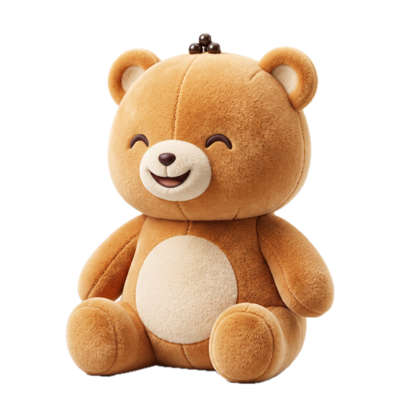
The pet. Your child adopts and names one of four Stuffy pets: Boba Bear ("Cozy, sweet, loves a good snack break."), Astro Pup ("Zooms through math like a rocket."), Pixel Cat ("Clever, curious, a little bit glitchy.") or Dino Sprout ("Small now. Grows HUGE with practice."). Each kid in the family gets their own Stuffy, coins and quests.
The learning. A parent scans a real school worksheet, and Easy Twin writes a twin: one new question for each original, practicing the same skill with new numbers, names and wording. Your child plays it as a homework quest with combo streaks, a Boss question and a treasure chest at the end. Each question has two hints and three tries, and answers are never revealed mid-session.
Coins. Twin Coins are earned by answering questions: 10 for a first try, 5 for a second try and 50 for a perfect quest, plus a daily chest of 5 to 20 coins. Easy Twin's price list has subscriptions and scan credits but no coin packs. One thing to know: the paid Family Pass doubles quest coins and adds a members-only outfit each month. Coins buy hats, capes and room decor in the Stuffy wardrobe, and a new Friday Drop arrives weekly and leaves when its timer runs out.
Ads and grown-up controls. Easy Twin has no ads, no advertising identifier, no data selling and no cross-app tracking. Kid Mode keeps scanning, buying and settings behind a 4-digit parent PIN, or a grown-up multiplication question if no PIN is set. Reminders stay off until a parent turns them on.
Skipped days. Stuffies get sleepy when practice is skipped and perk up after a quest. A Streak Freeze, bought with 120 coins, can protect a streak on a missed day.
Data. A parent sets up each kid with a first name and grade. That profile, along with the Stuffy, coins, streak and progress, is stored in the family's account and syncs across devices. Worksheet photos are only sent out to be read, and are not stored on Easy Twin servers. The privacy policy has the details.
Screen time. Easy Twin doesn't set time limits, so use your device's own controls and a routine. You can see plans on the pricing page and the full flow on how Easy Twin works.
Frequently asked questions
Are learning apps with virtual pets good for kids?
They can be, when the pet rewards real practice on the skills your child needs and the app avoids ads, paid mystery boxes and guilt mechanics. The pet should make learning more inviting, not replace it.
What age is a pet learning app best for?
Pet companions tend to appeal most to kids in the early and upper elementary years, roughly kindergarten through 5th grade. Many middle schoolers still enjoy dressing up a character, but they usually care more about the practice being quick and matched to their work.
How can I tell if my child is learning or just playing with the pet?
Sit with your child for one 10-minute session and count how much of that time goes to thinking about questions versus pet care and shopping. If most of it is questions on skills from their schoolwork, the learning is real.
Can kids spend real money in Easy Twin?
Not without a grown-up: Kid Mode keeps buying behind a 4-digit parent PIN or a grown-up multiplication question. Twin Coins for Stuffy outfits are earned by practicing, and Easy Twin doesn't sell coin packs.
What happens to an Easy Twin Stuffy if my child skips practice?
The Stuffy gets sleepy, and it perks up again after your child finishes a quest. A Streak Freeze bought with coins can also protect a streak on a missed day.
Make a twin of your child's worksheet
Download free and get 3 free scans. Scan a page and your kid gets a quest to play with their Stuffy, or print the twin with an answer key.
Download on theApp StoreRequires iOS 26 or later. Works on iPhone and iPad.
- 3 free scans to start
- No ads, no tracking
- Kindergarten to 8th grade
Keep reading
How to Make Homework Fun (Without Bribes or Battles)
Homework gets more fun when it is short, has a clear finish line, gives your child real choices, and shows progress they can see. A friendly character, a streak and fresh questions help more than big prizes, which can quietly make kids care less about the work itself. This guide gives parents specific ways to do each one tonight.
Parent-Teacher Conference Questions to Ask About Math and Reading
The best questions to ask at a parent-teacher conference are specific ones about your child's actual work, like "Which math skill should we practice at home?" and "What do you notice when my child reads aloud?" This guide gives parents questions for math and reading by grade band, a 15-minute way to prepare, how to read report-card language, and a simple two-week plan for turning the teacher's feedback into practice.
Homeschool Worksheet Ideas: Getting More Out of the Curriculum You Already Have
You rarely need a new curriculum to get more practice. This guide shows homeschooling parents how to turn any workbook page into fresh practice, run short mastery checks, and build review into the week, with a simple way to decide between printable and on-screen days.