 Easy Twin
Friends and shared quests, with parents in charge
Easy Twin lets kids practice alongside friends without chat or strangers. Social features are off by default for each kid until a parent turns them on. Friends need both kids' parents to approve, friends can only send preset cheers, and other families only ever see your kid's Stuffy name and first initial.
What can kids do with friends in Easy Twin?
Once a parent turns on Social for a kid, that kid can:
- Add friends with a 6-character friend code. Every friendship needs both kids' parents to approve it.
- Send cheers: High five!, Go go go!, Your turn!, Hi there!, On fire! and Superstar!. Those preset cheers are the only way friends interact. There's no free text and no messaging.
- Climb weekly boards: a weekly XP race with friends, the top kids at their school, and how their school ranks in its state.
- Share a finished quest as a link, so a friend can play the same questions and race the sender's Stuffy, which runs alongside at the sender's real pace.
How does friends and shared quests work?
Turn on Social
In Settings, turn on Social for your kid. It's off until you switch it on.
Swap friend codes
Kids share their 6-character codes. Both parents approve the friendship.
Cheer and race
Friends send preset cheers, climb the weekly boards and race each other's shared quests.
What do other families see about my child?
Other families only ever see your kid's Stuffy name and first initial, and only if you've turned Social on for that kid. Shared quests show the sender's Stuffy name and first initial, the topic and the score. The original worksheet's text and images are never shared. The school on the boards is picked from the national school directory, and only the school and state are stored on your kid's profile.
For how Easy Twin handles your family's data in general, see the privacy policy.
How do shared quests work?
After a quest, your family can share it as a link. The friend's family opens the link, taps Open in Easy Twin, and the quest lands on their kid's quest path with a ghost racer: the sender's Stuffy, moving at the sender's real pace.
Each kid's first shared quest is free. After that, Family Pass unlocks every shared quest, or a parent can spend 1 credit on one. Kids can't spend credits from Kid Mode.
When do parents use friends and shared quests?
Classmates on the same unit
Share a finished quest so a friend can practice the same questions and race your kid's Stuffy.
Cousins in different towns
Parent-approved friends can cheer each other on all week without any chat.
A school-wide streak
The weekly school board shows how your kid's school ranks in its state.
Can I keep my child's account private?
Yes. Social is off for every kid until you turn it on in Settings, and you can turn it off again at any time. With Social off, your kid still gets everything else: quests, their Stuffy, coins and the shop. See homework quests for how a worksheet becomes a quest.
Related features
Kid Mode
Hand over the phone safely: scanning, buying and settings stay behind a grown-up lock.
Stuffy study buddies
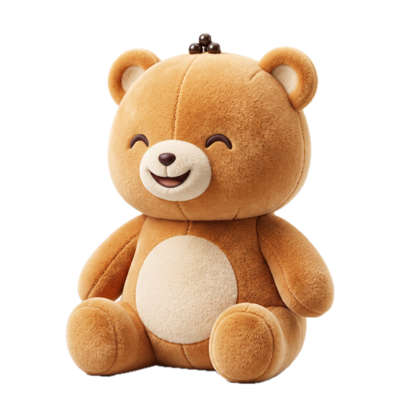
Your kid adopts a plush Stuffy (Boba Bear, Astro Pup, Pixel Cat or Dino Sprout) that cheers them through every quest.
Homework quests
Every scanned worksheet becomes a quest with combo streaks, a Boss question and a treasure chest at the end.
Which subjects and grades does it work with?
Friends and shared quests works across every subject and grade Easy Twin supports, from kindergarten through 8th grade.
Guides for parents
How to Turn a Worksheet Into New Practice Problems
To turn a worksheet into new practice, keep every question's skill, format and difficulty and change only the numbers, names and wording. You can write those versions by hand, hunt for a similar page online, ask a general chatbot, or scan the page into an app like Easy Twin, which writes one new question for each original in about 5 seconds a page.
Reading comprehension questions to ask your child after any story
The best reading comprehension questions for kids ask them to recall what happened, explain why it happened, and point to the words in the story that prove it. This guide gives parents a question bank for before, during, and after reading, sorted by grade band from kindergarten to 8th grade, plus scripts for coaching a weak answer.
How to Help With Math Homework When It's Taught Differently Than You Learned It
To help with math homework that's taught differently than you learned it, use the method printed on the page, ask your child to teach it to you, and find the worked example from class before you show your own way. Schools teach place-value strategies first so children understand why the steps work, and the standard algorithm usually follows a grade or two later. This guide shows side-by-side examples, what to say when you're stuck, and when to email the teacher.
Try Easy Twin on tonight's worksheet
Download free and get 3 free scans. Scan a page and your kid gets a quest to play with their Stuffy, or print the twin with an answer key.
Download on theApp StoreRequires iOS 26 or later. Works on iPhone and iPad.
- 3 free scans to start
- No ads, no tracking
- Kindergarten to 8th grade